Paradise Floral Bouquets Png: Versatile Blooms for Creatives
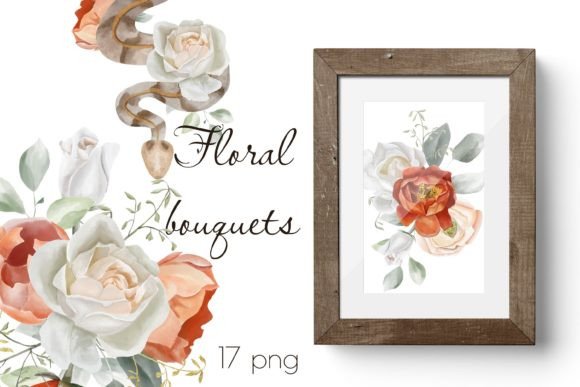
Floral designs have a timeless way of softening any project, from wedding invitations to handmade greeting cards. The Paradise Floral Bouquets Png set brings that botanical elegance straight to your digital workspace. With 15 meticulously rendered bouquets and 2 coordinating borders, all delivered as high-resolution PNG files, this collection offers instant polish for anyone who loves to create. Whether you craft tangible stationery or design virtual mood boards, these assets bridge the gap between imagination and professional finish.
What You Get in the Paradise Floral Bouquets Png Set
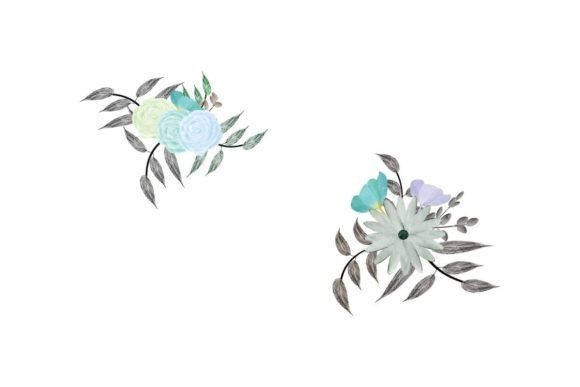
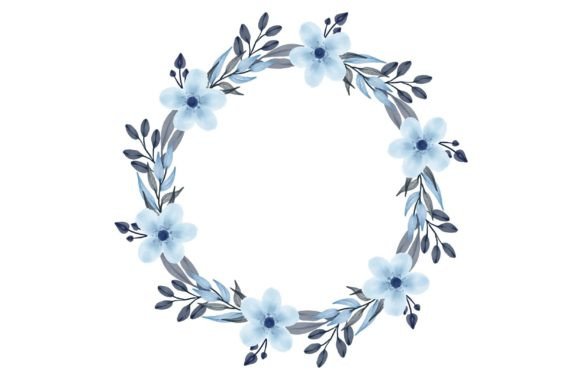
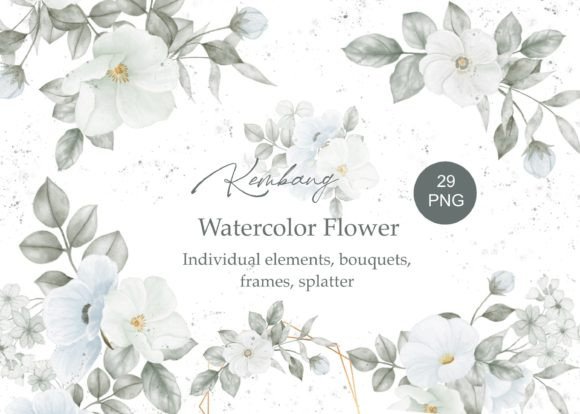
Inside this digital package, you will find 15 individual floral arrangements, each sized at approximately 2500 by 2700 pixels. The scale matters: those dimensions allow for generous print sizes without pixelation, making the bouquets suitable for everything from small stickers to full invitation panels. Two complementary border designs extend the value, giving you framed layouts ready to host text or other decorative elements.
Every piece comes with a transparent background. That means no tedious clipping path work. Drop the bouquet directly onto a pastel backdrop, a kraft paper texture, or a moody dark card — the edges stay crisp and natural. The PNG format preserves subtle petal details, soft shadowing, and nuanced colour variations that simpler files often flatten. For creatives who work across multiple software platforms, this compatibility is a subtle but powerful time-saver.
Endless Creative Applications
The obvious starting points are wedding stationery and romantic event decor, but the potential extends much further. Because the bouquets strike a balance between lush and structured, they adapt to a surprising range of visual voices. Consider these practical applications that go beyond the expected:
- Wedding invitations and day-of paper goods: menus, place cards, programs, thank-you notes
- Card gifts and greeting cards: birthday, sympathy, anniversary, or just-because notes
- Postcards and art prints: create a series of mini floral artworks to sell or share
- Planner stickers and covers: resize the bouquets for functional or decorative sticker sheets
- Digital scrapbooking and memory keeping: layer with photos, journaling, and vintage textures
- Physical scrapbooking and paper crafting: print and cut for dimensional accents
- Cardmaking and announcement cards: new baby, graduation, or business launches
- Social media graphics and blog featured images: add a soft botanical frame to quotes or headlines
- Small business branding: incorporate a single bouquet into a logo variation or packaging label
One overlooked avenue is product mockup styling. Freelancers and shop owners can place a transparent bouquet beside a candle, soap, or jewelry display to instantly elevate the perceived value without an expensive photoshoot. The borders work equally well as website section dividers or signature blocks in email newsletters.
Tailoring the Blooms to Different Audiences
Not every project calls for a romantic peony explosion. The Paradise Floral Bouquets Png set supports thoughtful customisation that speaks to varied target users.
Wedding Planners and Stationery Designers
Cohesion matters above all. Choose two or three bouquets from the set and use them consistently across the invitation suite. Recolour the petals softly to match a wedding palette, or let them remain natural for a garden-party feel. The borders become a repeating motif that ties RSVP cards, envelopes, and table numbers into one visual story.
Planner Sticker Makers and Small Business Owners
Here the challenge is balancing beauty with usability. A functional sticker still needs legible numbers or boxes. Layer a delicate bouquet behind a semi-transparent white shape to preserve the floral charm without overwhelming the planner layout. Because the PNGs are large, you can arrange multiple smaller bouquets onto a single sticker sheet without losing detail. This approach helps you build a cohesive product line under your own brand.
Educators and Content Creators
Florals are not just for weddings. A teacher designing a class newsletter can tuck a small border along the header to soften communication with parents. A blogger writing about wellness can use a single bloom as a recurring postmark. The key is restraint: one well-placed bouquet often carries more weight than three competing ones.
Hobbyists and DIY Enthusiasts
Printed at home on quality cardstock, these bouquets become 3D decoupage embellishments, shadowbox art, or even fabric transfers. Experiment with printing on vellum for a translucent, layered effect in scrapbooks. The high resolution means you can crop into a single flower head and still have enough detail for a striking focal point.
Practical Tips for Professional Results
Using pre-made graphics does not mean sacrificing originality. The way you integrate, alter, and present the elements defines the outcome. Here is how to keep your work clear, fresh, and audience-friendly.
Start with the right canvas. For print designs, work in CMYK at 300 DPI. The bouquet dimensions allow a maximum print size around 8.3 by 9 inches without upscaling. That covers most invitations and card fronts comfortably. For digital use, RGB is fine, and you can scale down sharply while retaining quality.
Layer with intention. Transparent backgrounds are forgiving, but be mindful of composition. Place a bouquet where the natural visual weight leads the eye toward important text. Use the rule of thirds as a starting point, then break it once you understand the flow.
Stay consistent with colour treatment. If you adjust the hue of one bouquet, carry that adjustment through to borders and any repeated elements. This simple habit elevates a DIY project into a polished suite.
Keep your files organised. Rename each PNG after your chosen colour palette or intended use. In software like Photoshop or Canva, group layers immediately. A tidy file saves hours when you revisit a design a month later.
Experiment with blending modes and opacities. Multiply blends beautifully with textured backgrounds for a vintage feel. Soft light can add an ethereal glow behind text. These small tweaks make the same bouquet look entirely different across projects.
Pair with readable typography. Lush florals compete for attention. Choose clean serif or sans-serif fonts that offer enough contrast. A delicate script can work for names or headers but avoid placing it entirely over a busy petal area.
Real-World Inspiration to Spark Your Next Project
Sometimes a single example clarifies possibilities better than a list. Picture a small stationery business launching a spring collection. The owner takes three bouquets from the Paradise Floral Bouquets Png set, shifts their colours to soft peach and sage, and places one in a corner of a thank-you card. The matching border frames a central monogram. The same border, slightly smaller, wraps around the label of a custom candle the business also sells. The visual link is unmistakable and upscale.
Another scenario: a digital planner creator wants to offer a monthly cover freebie. She opens a PNG bouquet, reduces it to fit a tablet screen, and places it behind a semi-transparent white circle. Inside the circle, she adds the month name and a simplified calendar grid. The bouquet peeks through subtly, giving a premium look that requires only minutes to achieve.
For a more hands-on project, a scrapbooker prints four different bouquets onto matte photo paper, then fussy-cuts them. She uses foam adhesive to layer petals over a family photo, creating a shadowbox page that resembles a lush garden frame. The high resolution of the original files ensures no jagged edges even when trimmed closely.
Adapting for Print, Web, and Social Formats
This set moves easily between mediums. When preparing for print, always embed the colour profile and perform a test run on your home printer or with a small batch from a professional service. Pay attention to the border margins; some printers require a bleed area, so extend a background colour behind the border if needed.
For digital platforms, optimise file sizes without degrading visual quality. A 2500px wide PNG can be saved at a smaller dimension and compressed for fast loading on blogs or online shops. Use the bouquets as corner accents on Instagram posts, or split a bouquet across two slides in a carousel to create visual continuity.
Accessibility awareness adds a layer of professionalism. When placing text over a floral, ensure sufficient contrast. A dark overlay set to low opacity can help maintain legibility while preserving the botanical beauty underneath.
Keeping Your Work Original and Audience-Centered
Even a widely available design asset can yield one-of-a-kind results when you treat it as a raw ingredient rather than a finished piece. Combine two bouquets, mirror one, and let the stems intertwine. Add a watercolour wash behind an arrangement. Duplicate a single bloom, scale it down, and scatter several as confetti. Those deliberate choices signal care.
Think about the emotional response you want. Soft, full blooms evoke comfort and romance. Tighter, brighter arrangements feel celebratory and friendly. Considering the end user keeps your designs from becoming generic. A new mother receiving a birth announcement might notice different details than a bride scanning a menu card — and the same bouquet can serve both when framed differently.
Finally, give yourself permission to use the assets across multiple projects. A one-time investment in a set like Paradise Floral Bouquets Png can serve client work, personal gifts, and product development for years. The enduring appeal of floral imagery means your designs will feel current through many seasonal cycles.